Here’s the situation.
Do you know how an auction is run?
You may think it’s pretty simple. You show up, flash a numbered sign, a fast-talking auctioneer rattles off various dollar amounts, and maybe you have the highest bid for an item you want.
From there, you sign to acquire the item, pay, and it’s yours!
Seems pretty easy on your end, right? Well, here’s a secret: that’s how it’s meant to be.
You’d probably never know all the intricacies involved with running an auction, except today you decided to skim this article, so let me enlighten you.
THERE IS A LOT INVOLVED WITH PREPARING FOR AND RUNNING AN AUCTION – PARTICULARILY IN THE PAPERWORK DEPARTMENT.
J&C Auctions is a premier auction company serving Southern Oregon and Northern California specializing in Farm and Ranch items, Industrial and Business liquidations, horses and livestock, and other equipment. Averaging over four auctions a year and managing hundreds of items at each event, there is a LOT to keep track of.
Here’s the documents they must provide to and collect from sellers:
- Consignment Agreement
- Customer Privacy Policy
- Consignment Agreement Contract
- Original Title (if applicable)
- Bill of Sale
- Notice of Transfer
And what they need from buyers:
- Purchasing Acknowledgement
- Disclosure Regarding Consignment Sale
- Customer Privacy Policy.
And here’s a few contingency docs they may have to provide and collect signatures for:
- Statement of Error
- Title in Process Letter
- DMV Title Delay
- DMV Vin Check
- Municipality Owned Acknowledgement
Simply put, there’s a lot of information to distribute and collect. And there are a lot of intricacies regarding when information is collected.
Regardless, one thing I learned about this whole process was that most of it was done by hand – manually typing repetitive information into various templates and then printing them all out for signatures. I was told that this process took over 11 hours in preparation for an auction.
Now, call me crazy but that seems like a lot of time to perform a task, so I built something to help automate that process.
Here’s what I did.
Templates
First, I took a look at the templates. To ensure consistent branding, I updated the letterhead, proofread the content, and edited formatting so each template was visually appealing, professional, and accurate.
BEFORE
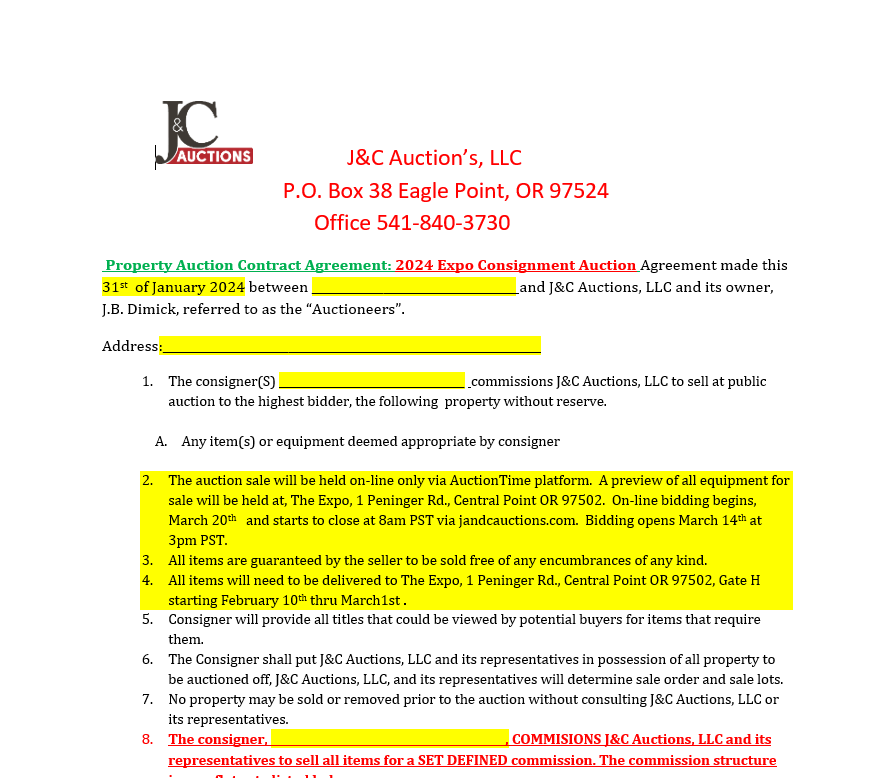
AFTER
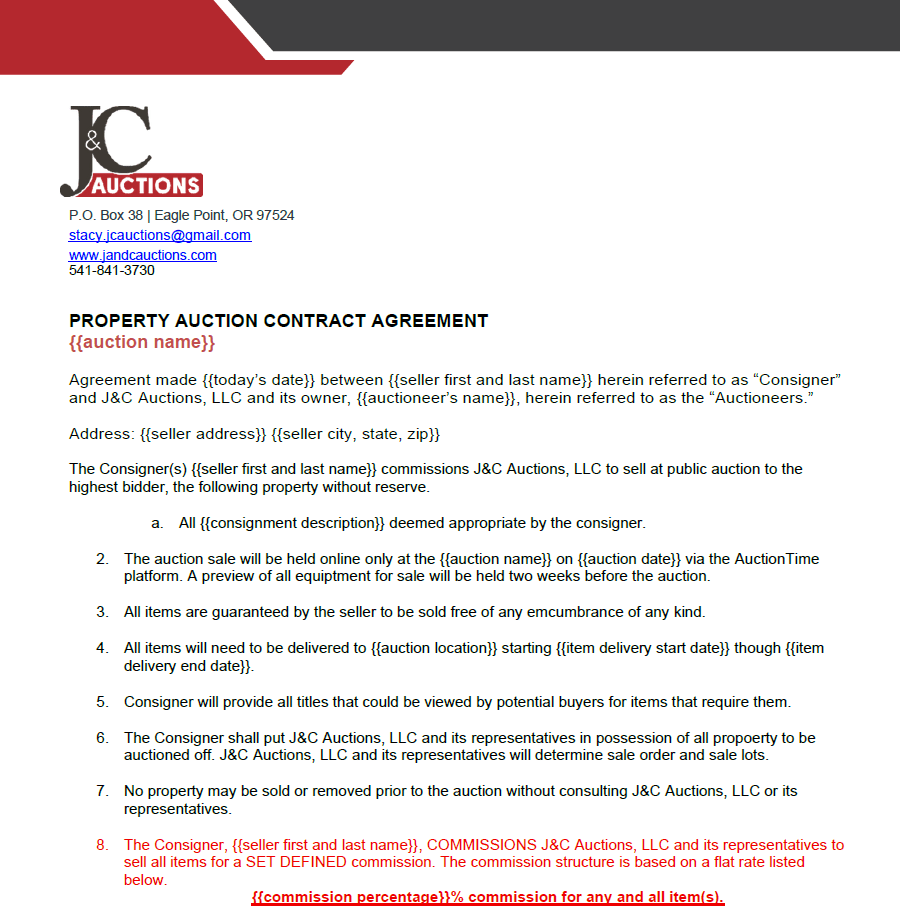
An important piece of automating this process was figuring out what words on each template were “variable” – what specific words would change with each new client such as name, address, item name, dates, etc.
Excel
Ok, so – templates are looking good and ready to be automatically populated to reduce time spent manually typing them. Now all that remains is a means to conduct the automation.
My solution was to create an Excel Automation Tool that collected variable information, allowed the user to select specific templates they wished to populate, populated templates, then exported the documents into PDF format and saved them to a specific location on the user’s computer.
Simple right?
Oh and I also added a backend so that each new entry of variable information could be saved and recalled if the user wanted to populate more templates with information they already collected and could reuse the Automation Tool for different auctions.
To accomplish this, I created an “entry form,” “database,” and “template” sheet in the Excel Workbook.
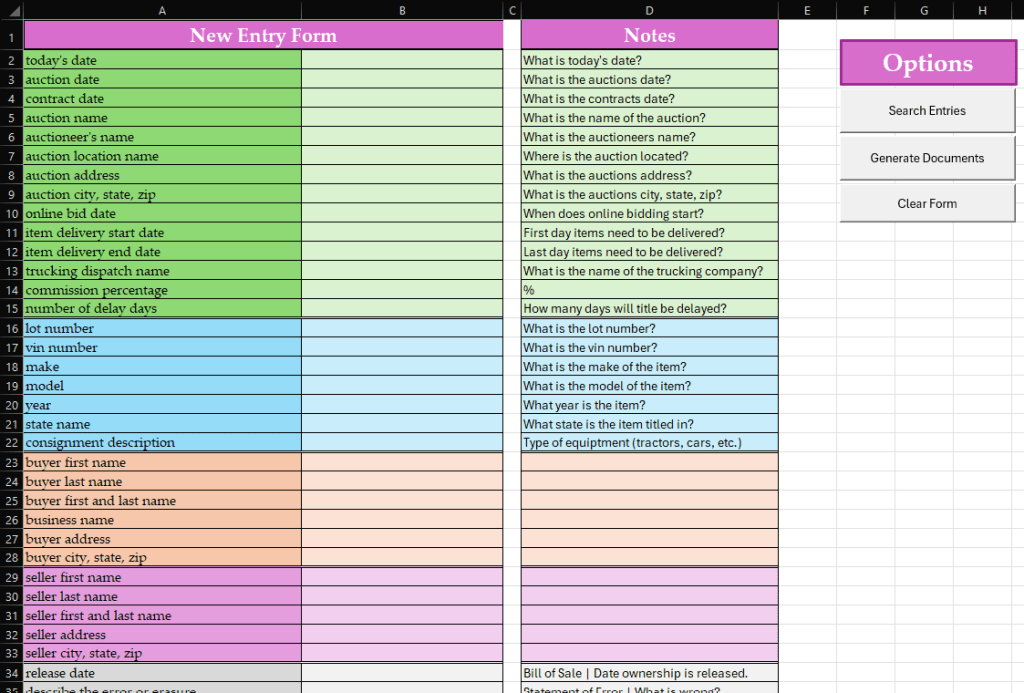
Then, I wrote a VBA script (with the help of Perplexity) to locate templates on the user’s computer, populate them with the variable information collected in the “entry form,” generate selected templates and export them as PDFs. I initiated the code with a few buttons on the form.
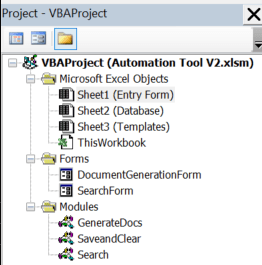
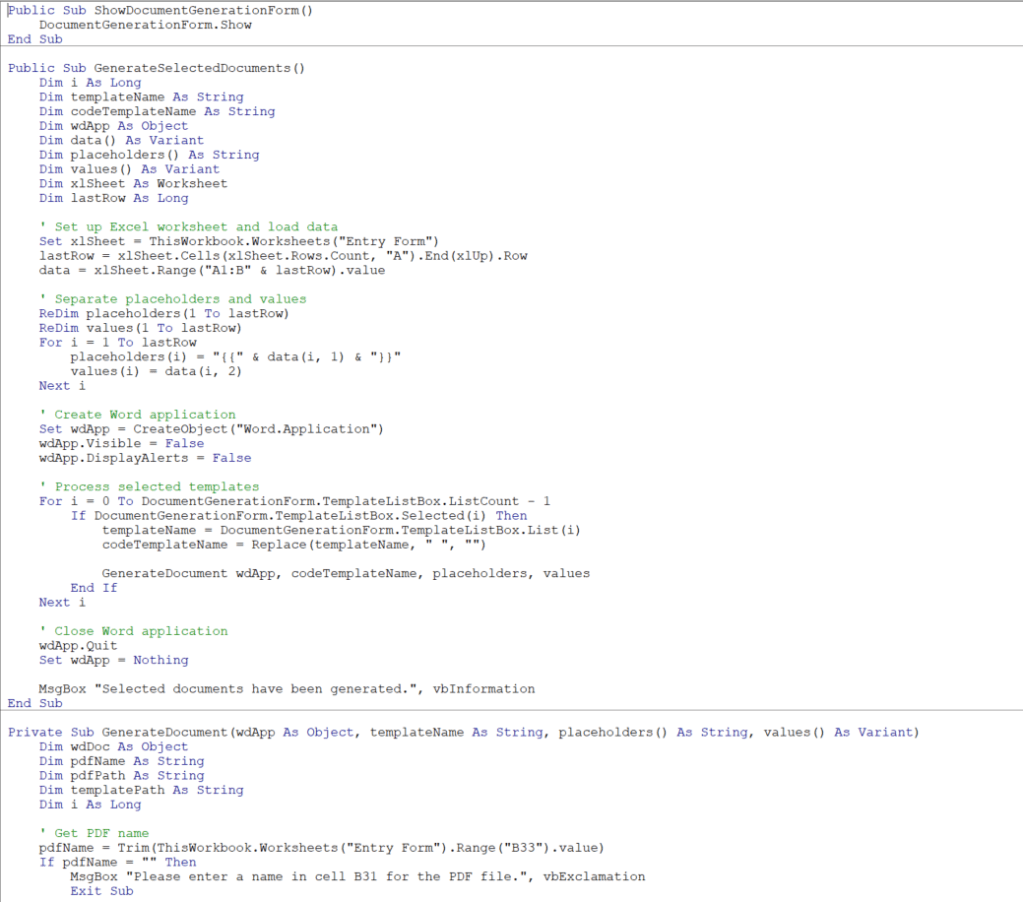
You can view the entire script on my GitHub.
DocuSign
To create even more time savings, I suggested implementing DocuSign to quickly send required documents for signature digitally. I assisted in the setup of the account, personalizing templates and branding, and training on how to use it effectively.
What did I accomplish?
The custom-built Excel Automation Solution drastically transformed J&C Auction’s document preparation process, delivering increased efficiency and accuracy.
I delivered dramatic time savings by slashing document preparation time by over 50%, reducing a grueling 11-hour process to just 5 hours or less and freeing up valuable staff time for high-impact tasks and client engagement.
I enhanced accuracy and professionalism by eliminating human error in document preparation, ensuring flawless paper work every time and presenting a consistently polished and professional image to clients.
I streamlined workflow by seamlessly integrating PDF generation and DocuSign processes for a smooth, end-to-end solution and empowered the J&C Auction team with a user-friendly interface, enabling quick adoption and distribution across the company.
I enabled long-term ROI because this tool was designed for longevity and adaptability and with each new auction, they will be able to save more time and money, ensuring they get the most value from their investment.
By implementing the tailor-made solution, J&C Auction’s did not just save time – they revolutionized their auction preparation process, set new standards for efficiency, and demonstrated their commitment to efficiency and quality to their clients and partners.
 ABBY CHRISTIANSEN
Leave a comment